

Transform your morning routine by adding a smart plug to your coffee machine, making it easier to use while ensuring safety and efficiency. This article highlights the benefits of this technology, including better home safety and lower energy consumption. Start your day with coffee ready to enjoy, and get unmatched peace of mind every morning.
The digital age has profoundly changed our morning rituals, including the way we make our coffee. By connecting your coffee machine to a smart plug, you get not only unmatched convenience but also improved safety. Bringing this smart technology into everyday life makes your routine both simpler and more personal. Picture waking up every morning with your E61 machine already preheated and ready to go, or leaving home completely at ease, without the slightest worry that you forgot to switch off your La Pavoni.
This article walks you through connecting your coffee machine to a smart plug step by step, giving your morning routine a modern, efficient twist.
What are the benefits of connecting your coffee machine?
Improved safety
Some espresso machines, such as the La Pavoni, need special attention because they don't switch off automatically after a set time. If you forget to turn one off, it can keep running until all the water in the boiler has boiled away, which risks damaging the machine or, in the worst case, starting a fire.
A smart plug is an effective solution to this problem. By setting it to switch the machine off automatically after a set time, you greatly reduce the risk of overheating or fire, while extending the life of your espresso machine.
That way, you can leave home with complete peace of mind, knowing you can check on your phone whether the machine is off or still running.
Saving energy with a smart plug
Smart plugs bring a significant environmental benefit. They cut power to devices in standby, which limits the energy wasted by power supplies that are always live. It's a simple but effective way to shrink your carbon footprint and save on your electricity bills. Personally, I've connected my grinder and my coffee machine to a smart power strip.
This way, I can switch them on together, either on a schedule or with a voice command such as "Alexa, turn on my coffee machine". With this setup, the power supply of my Lelit Mara X V2 coffee machine and of my electric grinder gets no electricity when I'm not using them.
How to choose a smart plug or smart power strip
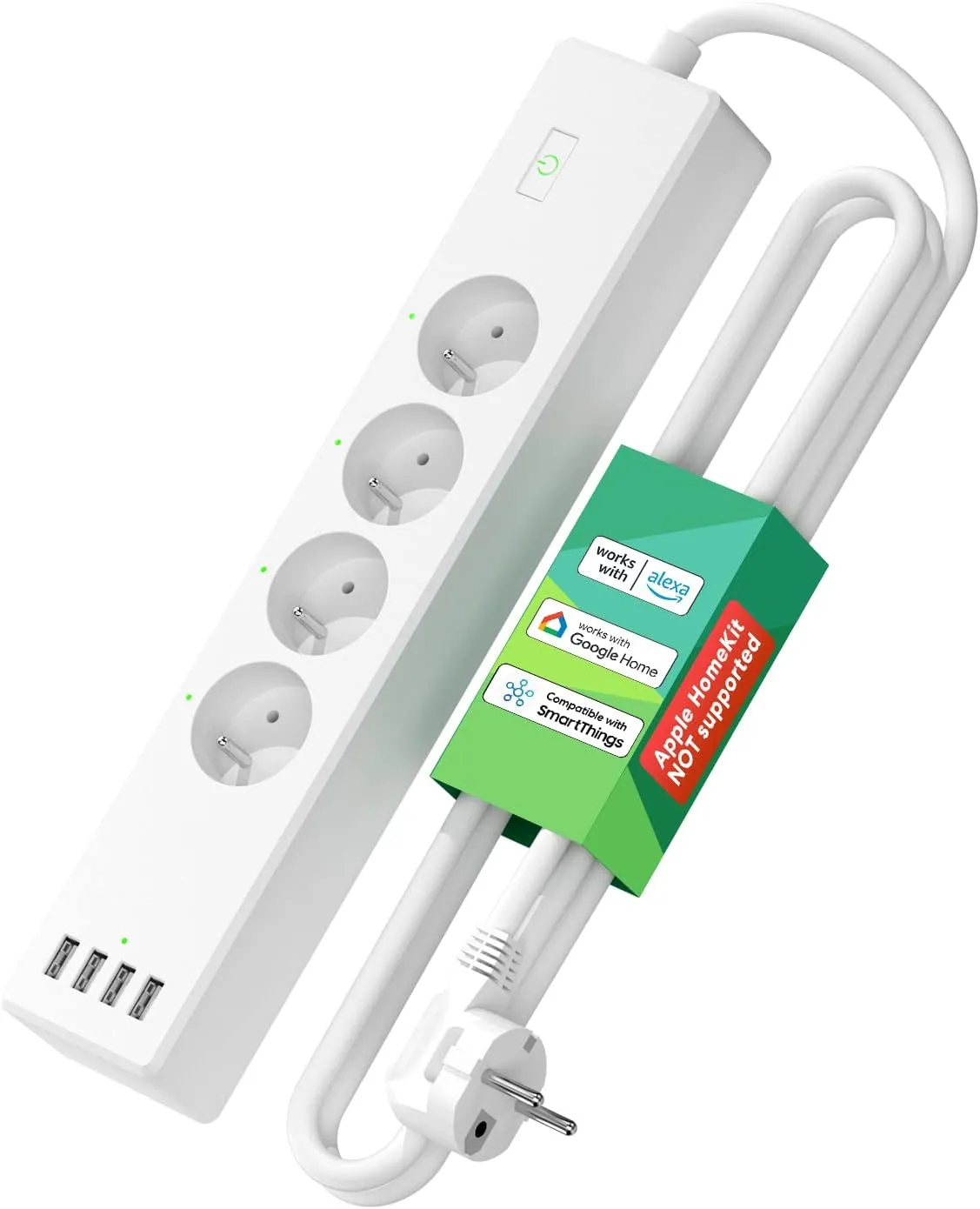
For my coffee corner, I chose a Meross smart power strip (the link leads to a similar model, the Meross Smart Power Strip), which has 4 outlets and 4 USB ports. Each outlet, as well as the USB block, can be controlled independently of the others. This power strip also works with Alexa, Google Home and Apple HomeKit, so I can control it easily from any of these platforms.
What I particularly liked about this Meross strip is how easy it is to set up and how well designed the app is (available on Android and iOS): it's very intuitive to use. I also appreciate being able to choose whether the LEDs that show which outlets are powered stay on or not, an extra bit of customization to suit my preferences.
Tutorial: setting up a Meross smart power strip
What you need
-
Meross smart power strip
-
Smartphone or tablet
-
Wi-Fi connection
-
Meross app from the App Store or Google Play Store
-
Open the app once it's installed.
-
Create a new account by following the on-screen instructions (or log in if you already have an account).
-
Follow the steps as shown in the images below
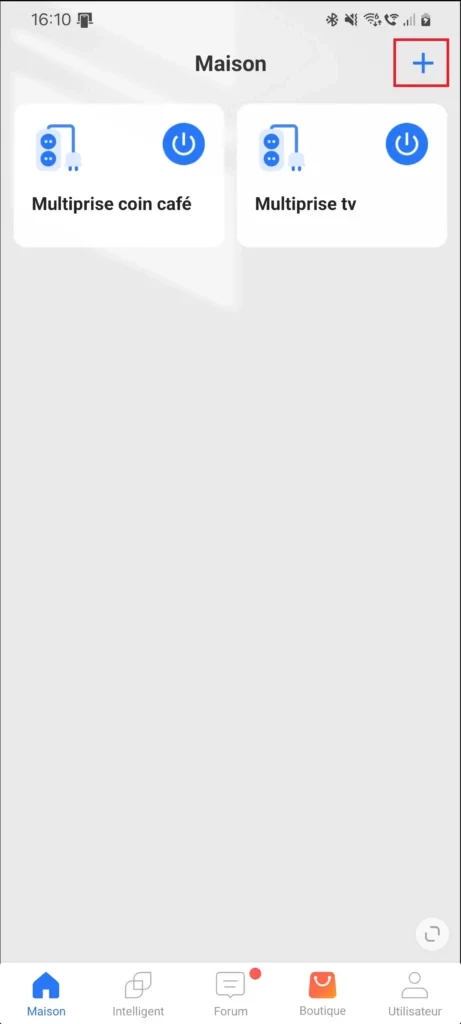
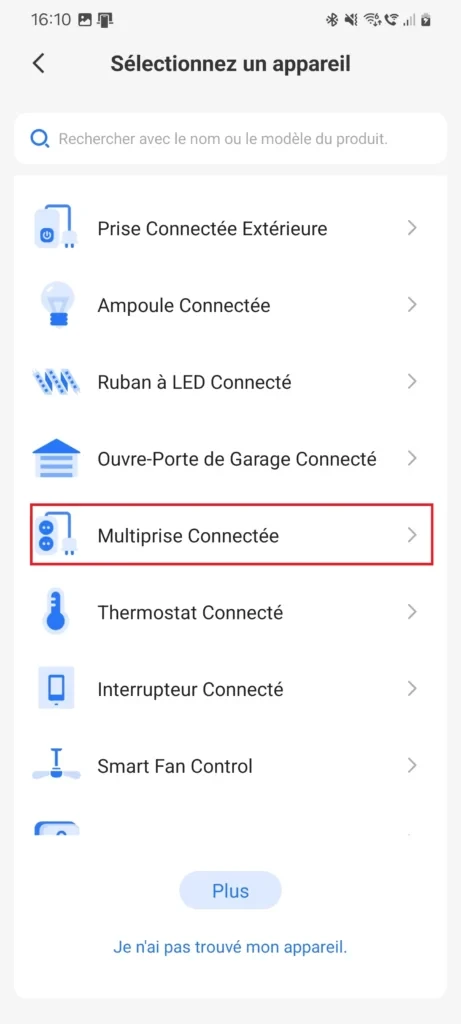
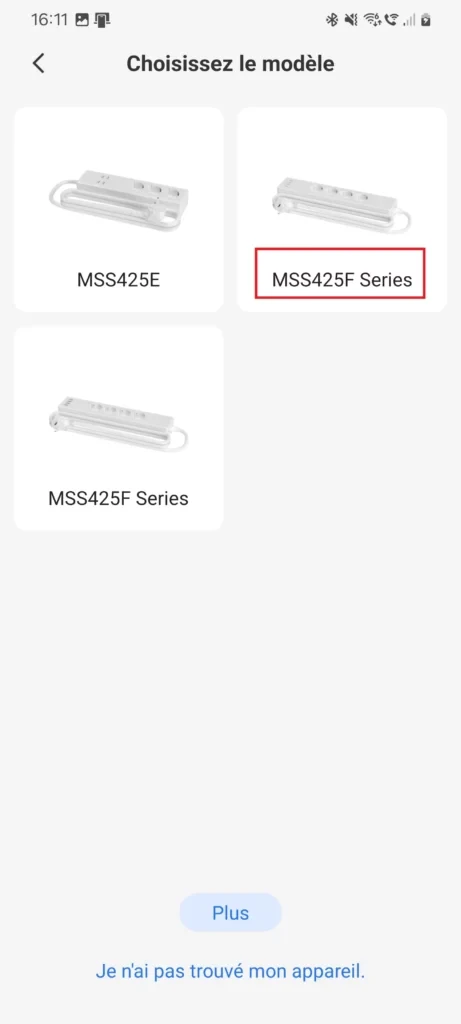
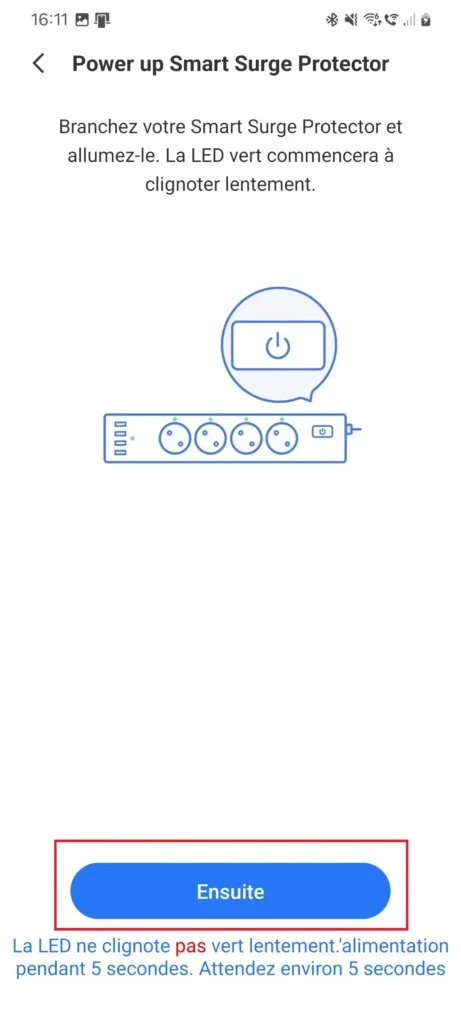
Find a similar Meross smart power strip on Amazon (Meross Smart Power Strip)
Check the maximum load supported by the plug or power strip (in watts and amps) and compare it with the power draw of your espresso machine and your grinder. Some machines (cup warmers, powerful heating elements) can exceed the capacity of basic plugs.
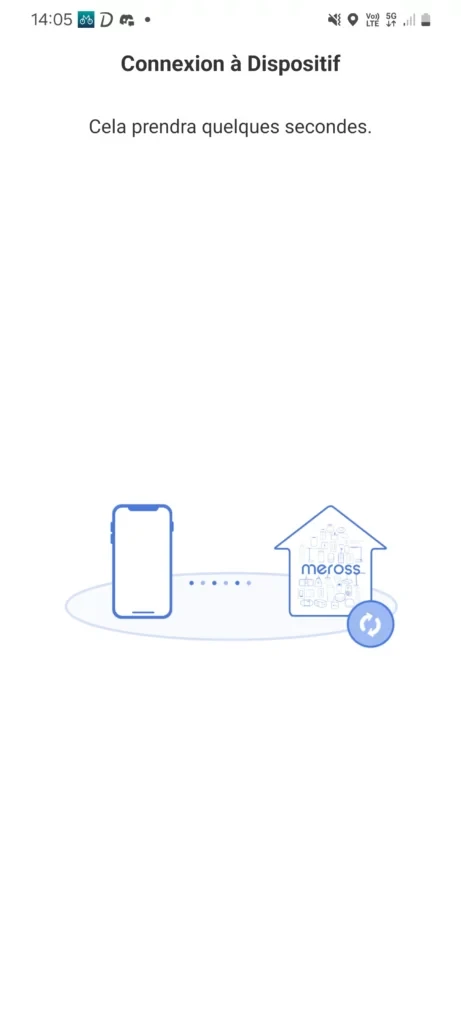
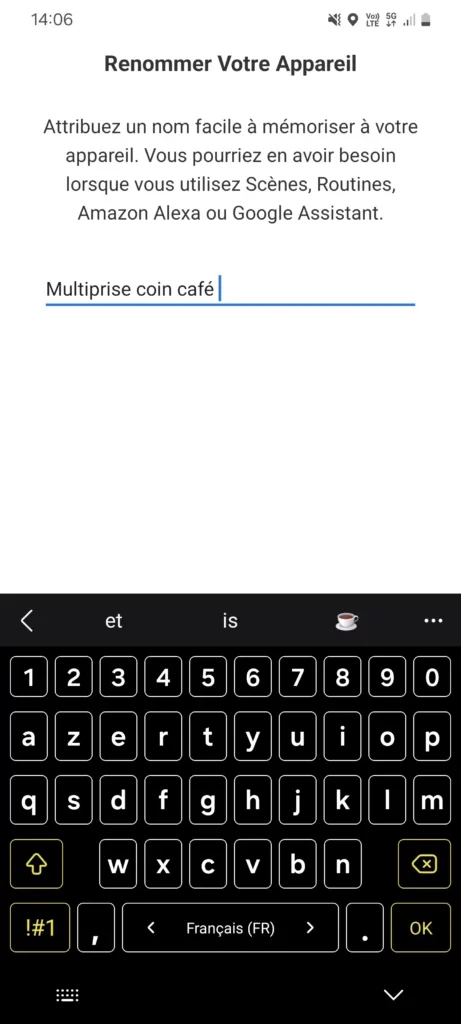
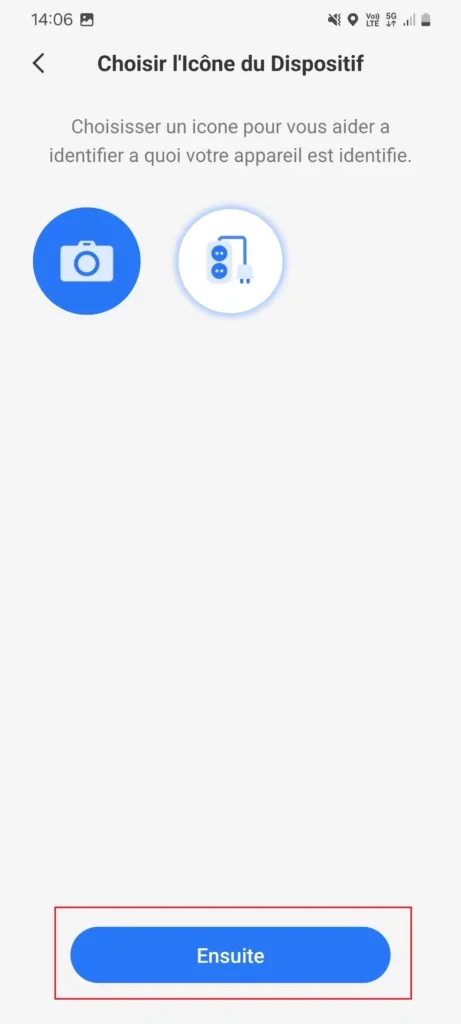
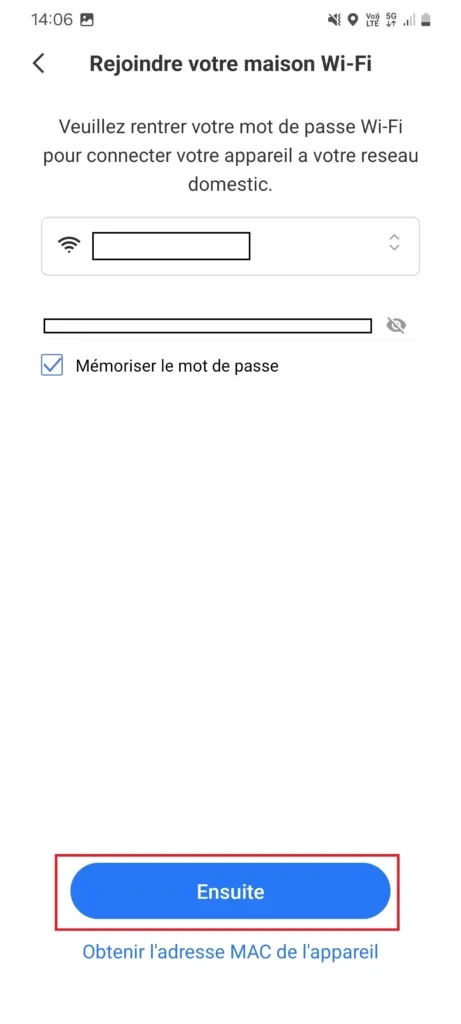
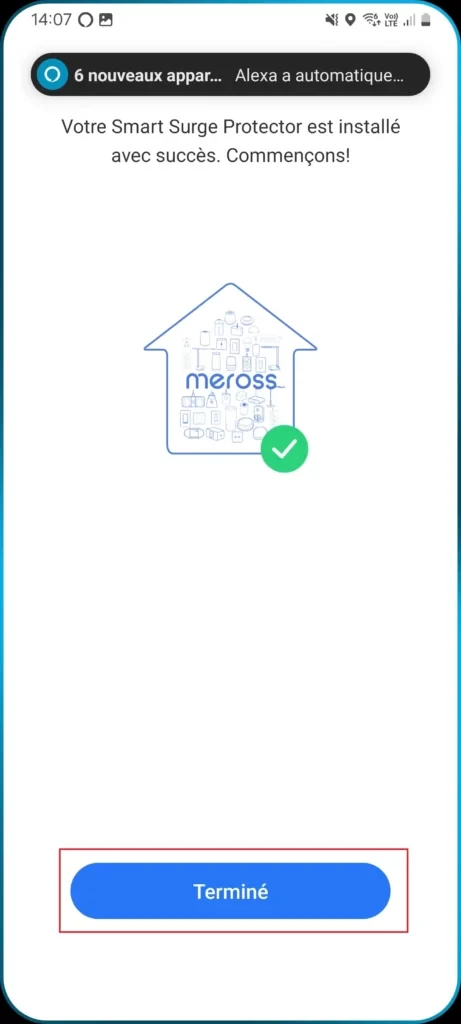
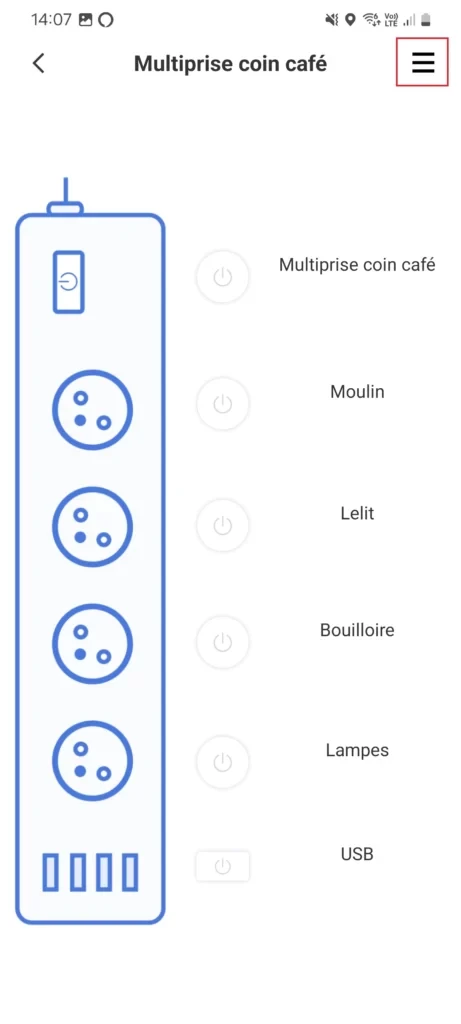
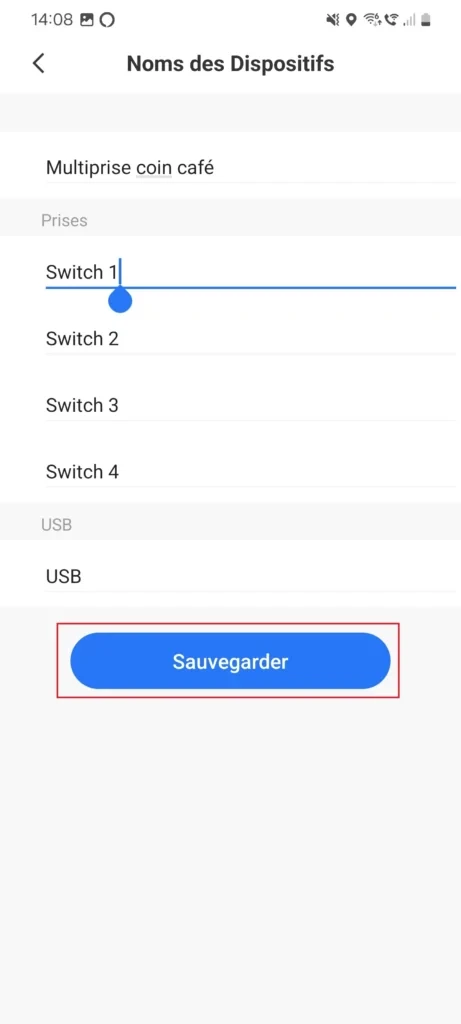
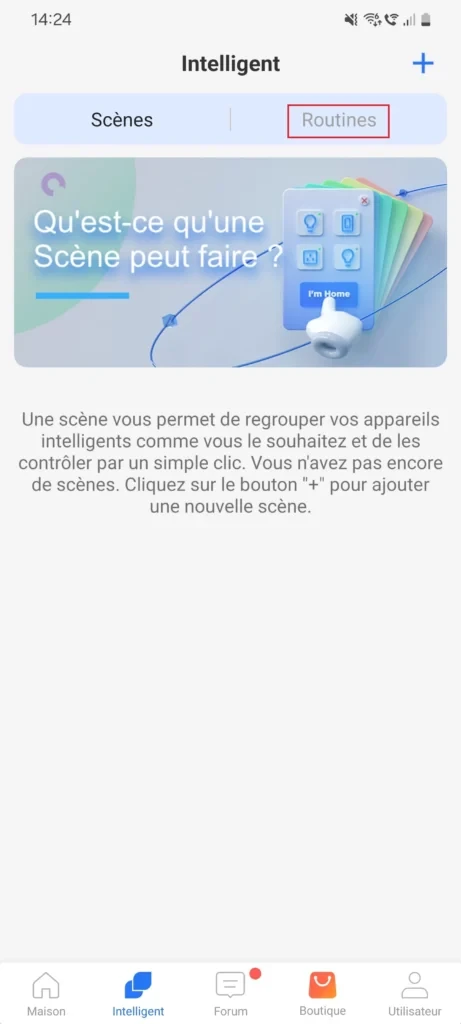
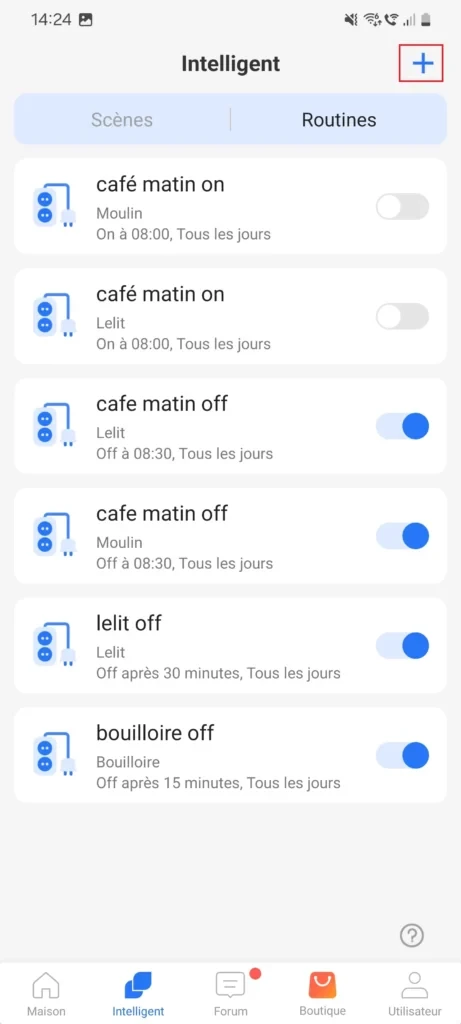
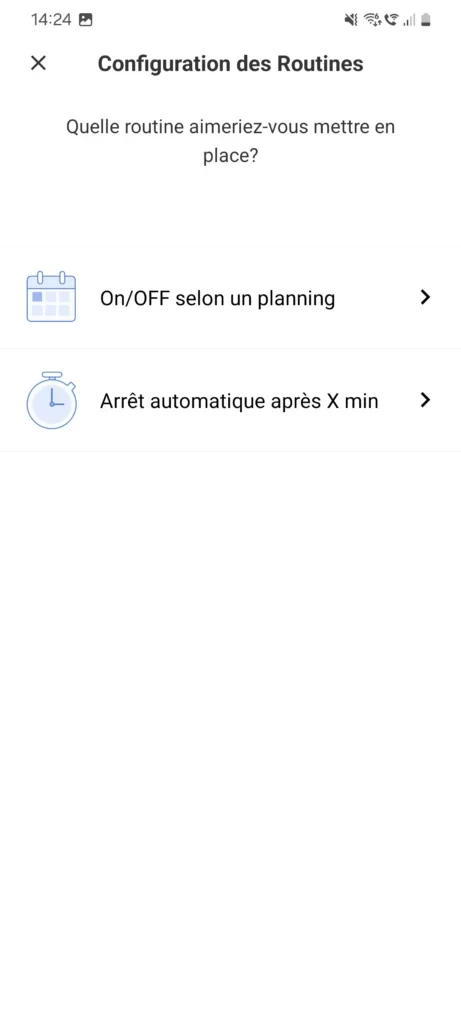
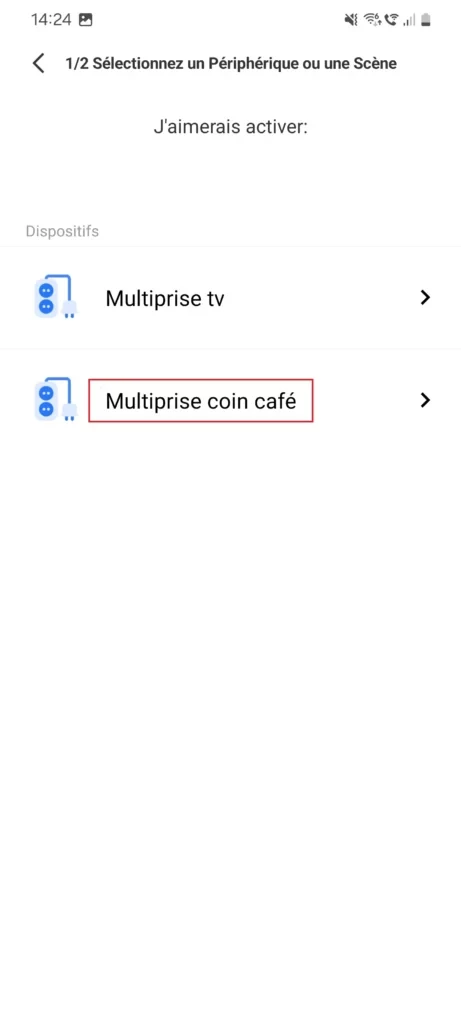
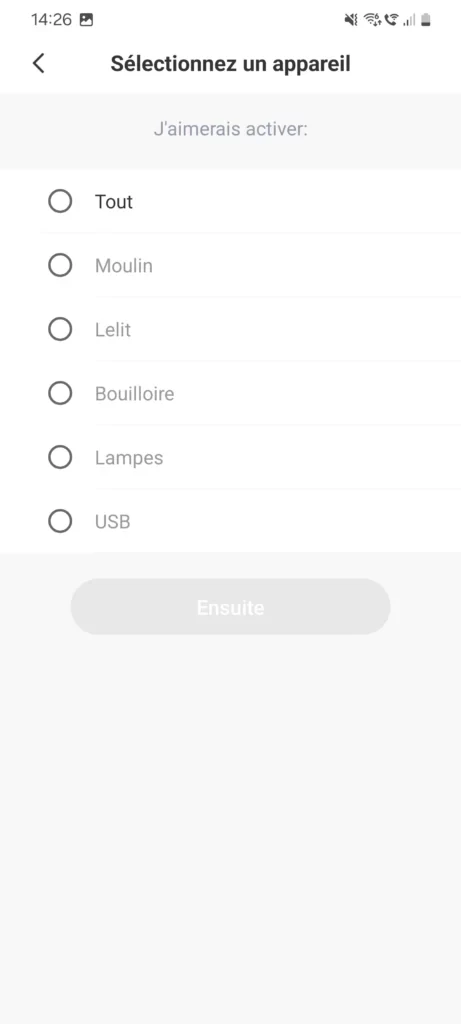
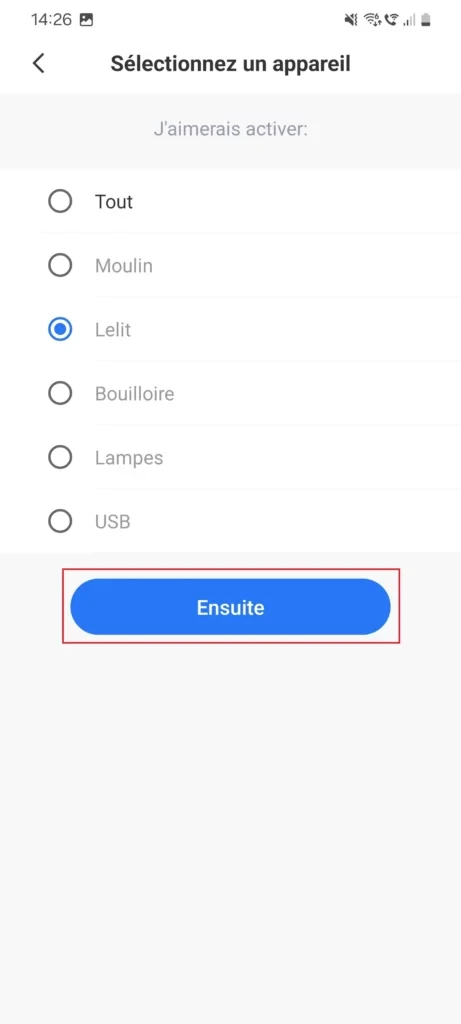
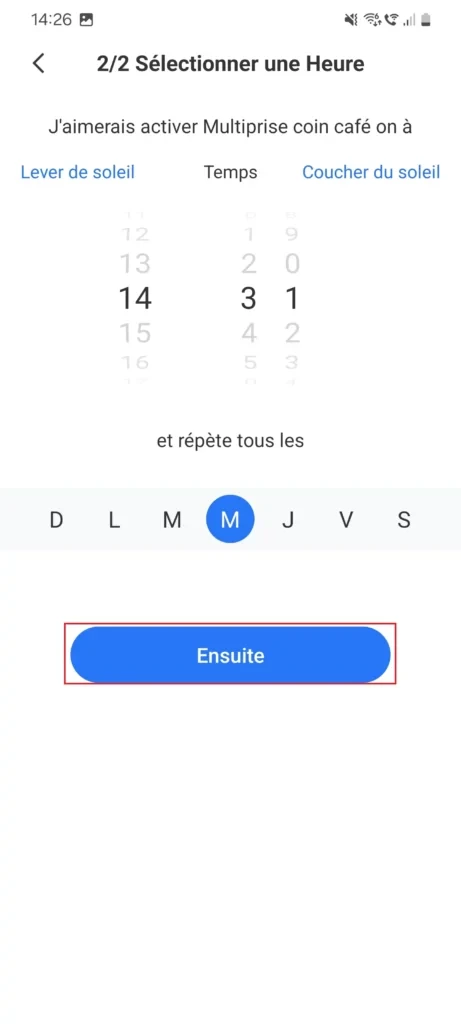
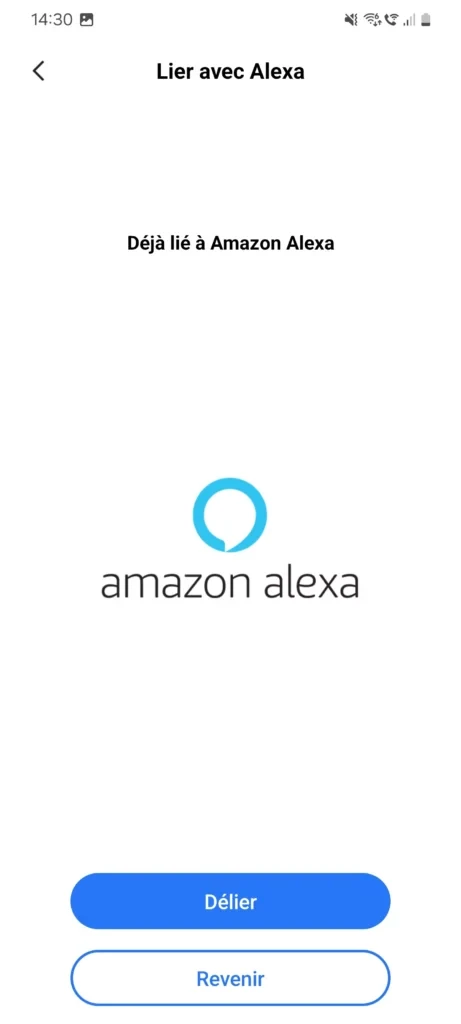
Linking a power strip to Alexa
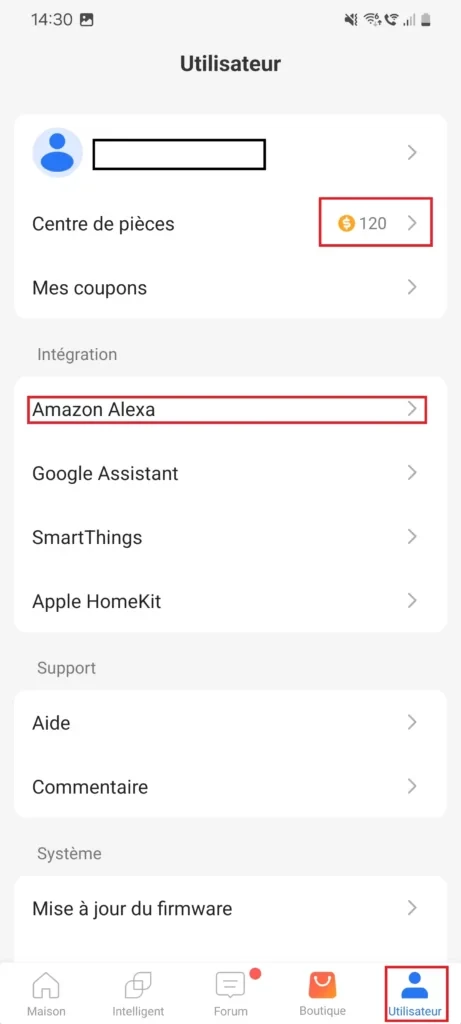
To link the Meross power strip to Alexa, go to:
- User
- Amazon Alexa
For a single smart plug, go for the Tapo P110 (energy monitoring), sold on Amazon in the US in its Tapo P115 version: it's affordable and comes with energy monitoring. Personally, I use the Tapo P110 to control various devices and I'm completely happy with it. This plug works with Alexa and Google Home.
Find a similar smart plug on Amazon (Tapo P115)
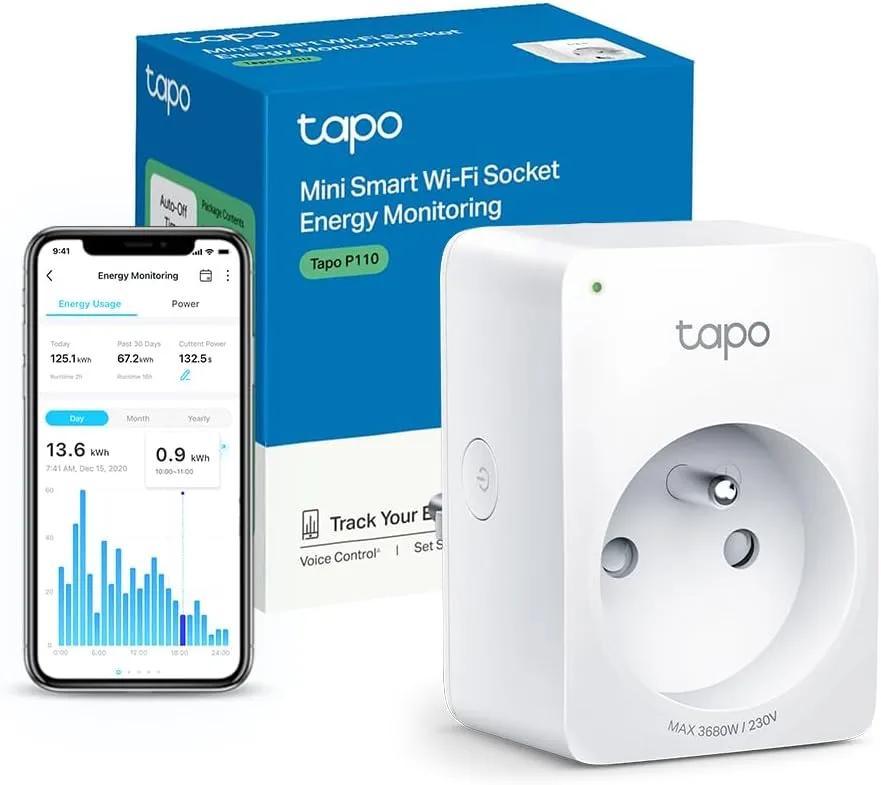
The Tapo P110 smart plug lets you monitor energy consumption.
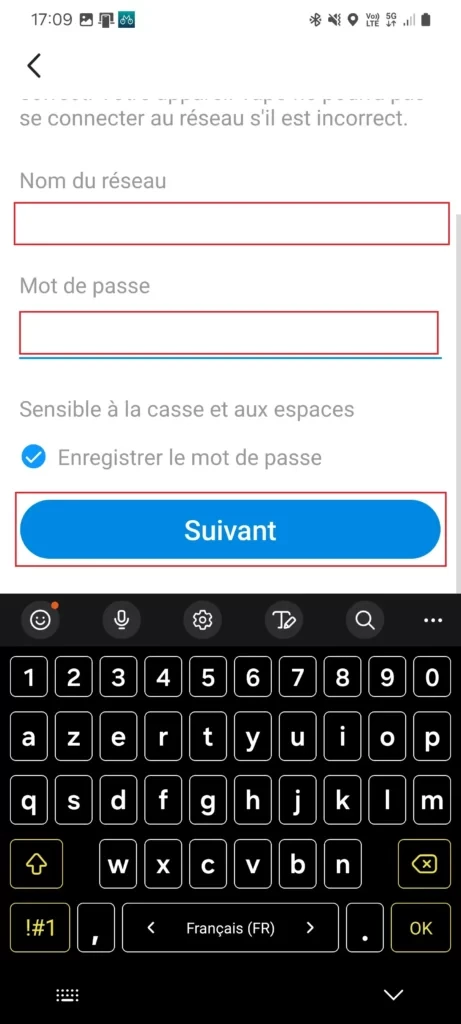
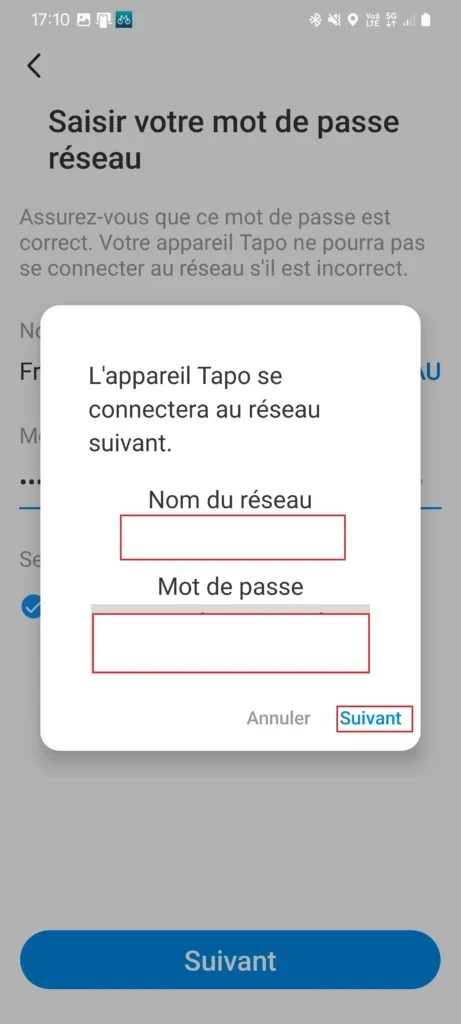
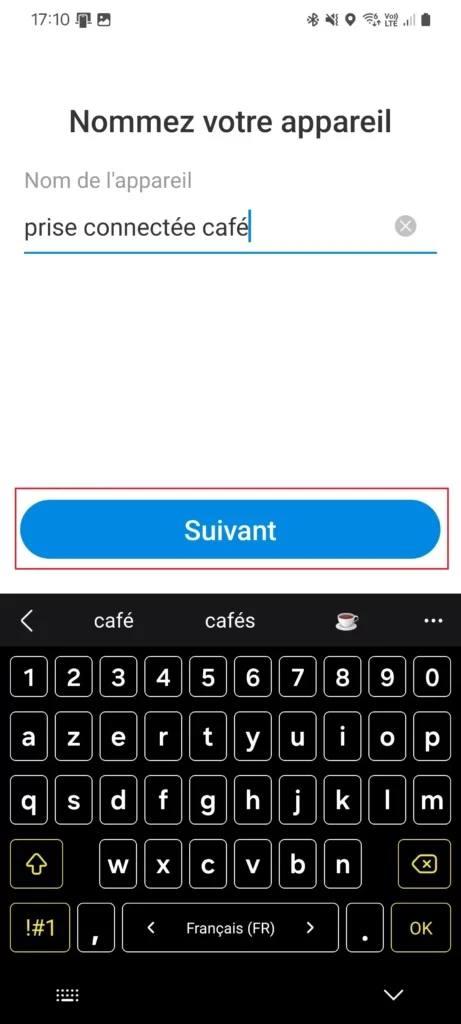
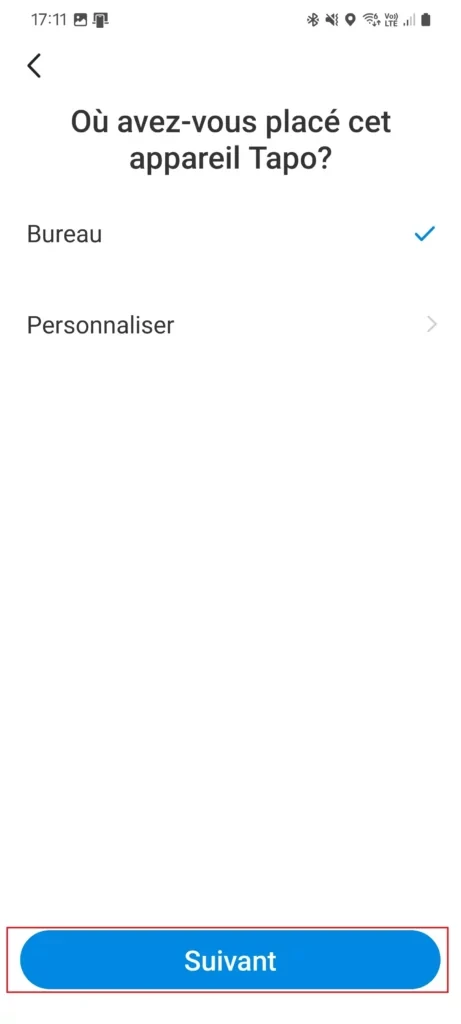
Tutorial: setting up a Tapo P110 smart plug
What you need:
- Tapo P110 smart plug
- Smartphone or tablet
- Wi-Fi connection
- Plug it into a wall outlet of your choice.
- On your smartphone or tablet, download the Tapo app from the App Store or Google Play Store.
- Open the app once it's installed.
- Create a new account (or log in if you already have an account).
- Follow the steps as shown in the images below.
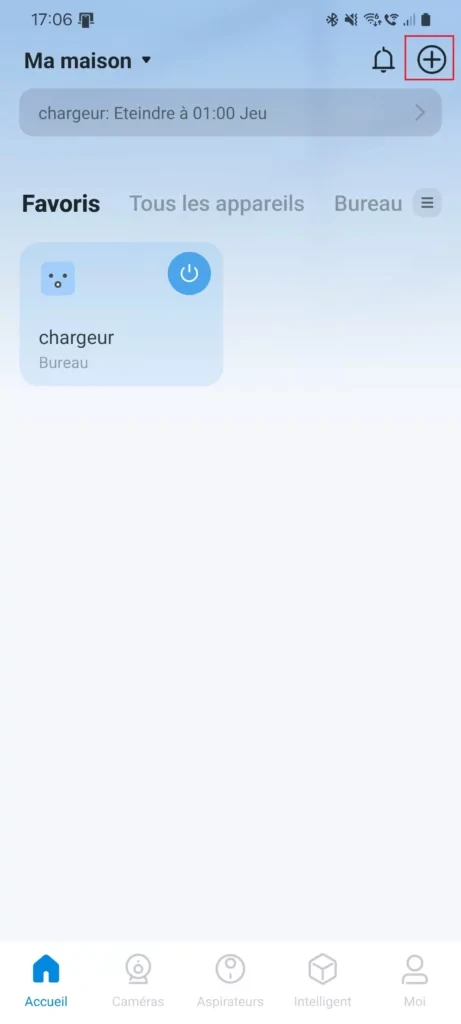
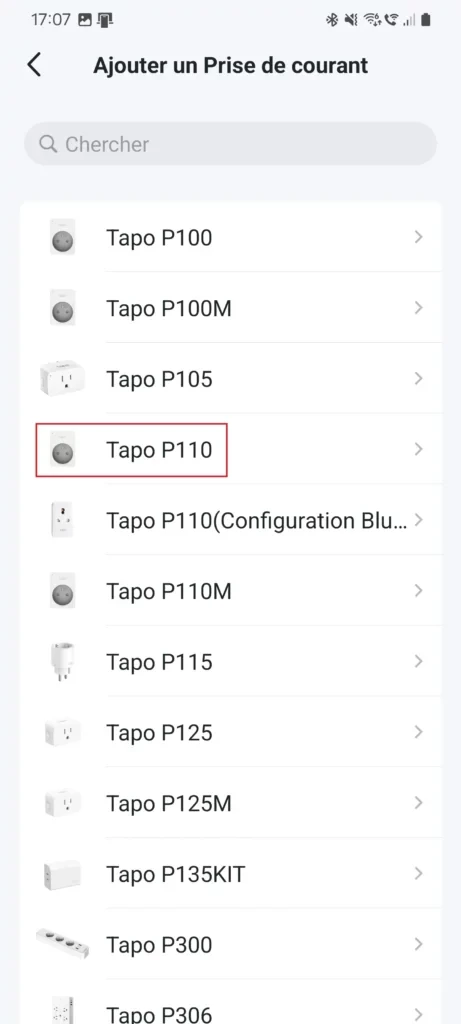
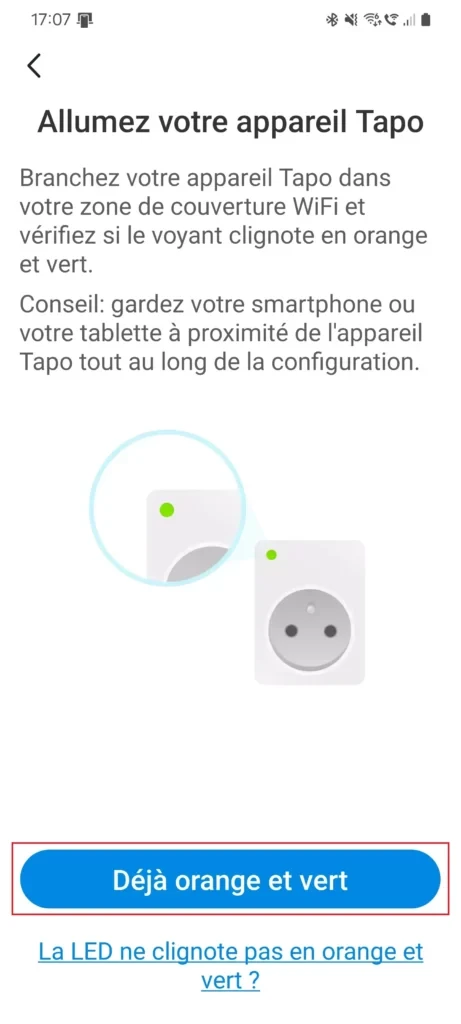
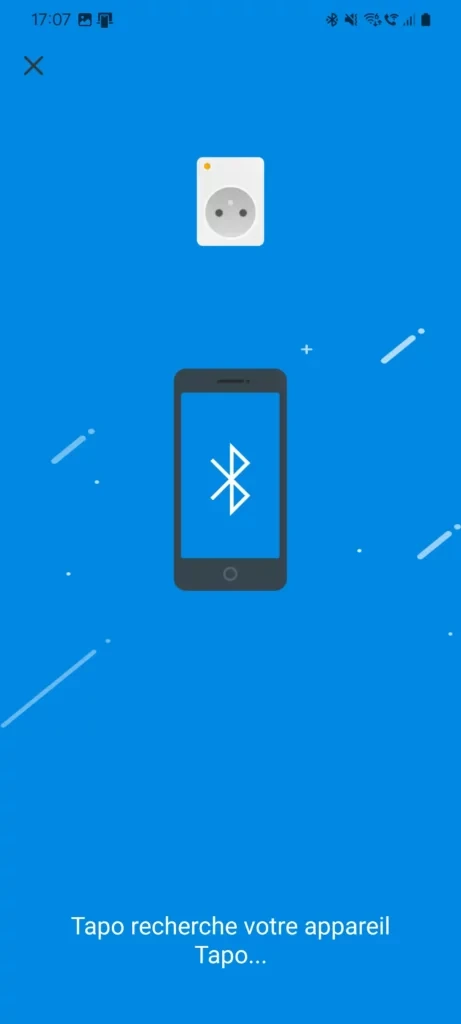
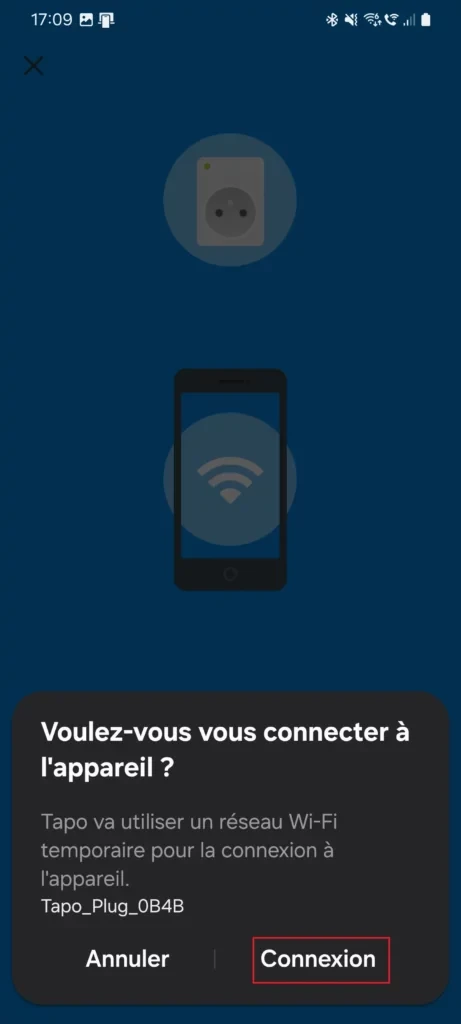
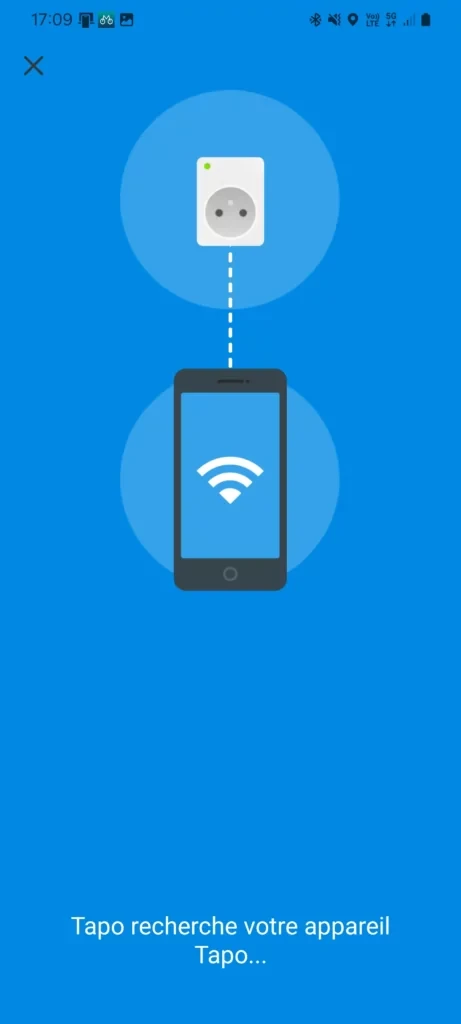
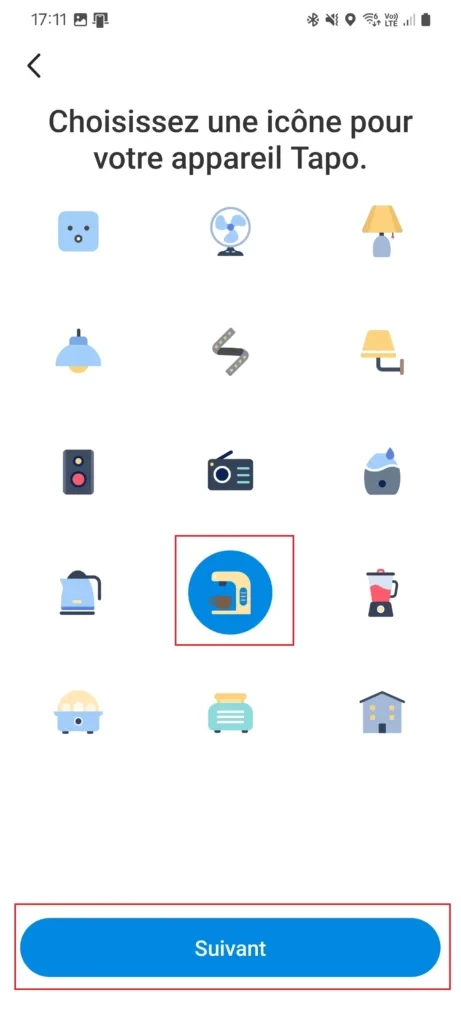
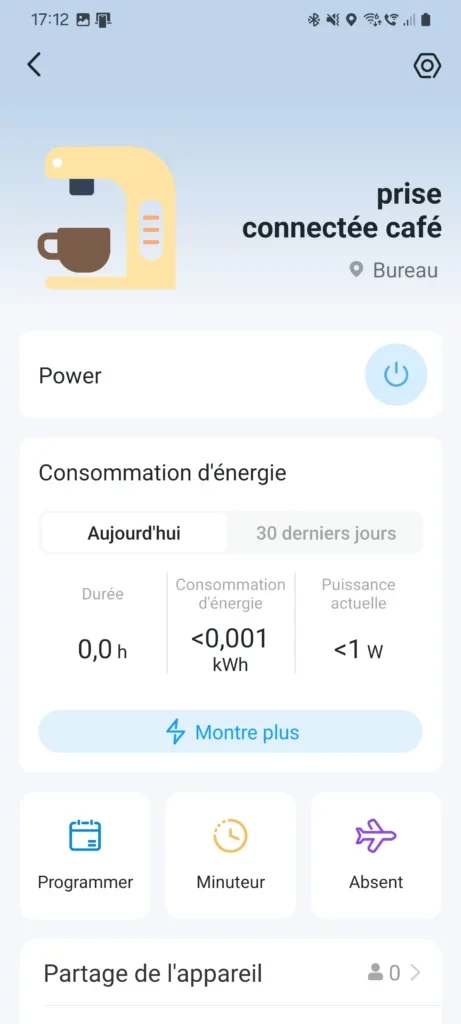
Controlling your plugs with a smart speaker
Smart speakers such as the Amazon Echo and Google Home sync easily with smart plugs, giving you direct, intuitive voice control.
My experience with an Amazon Echo Dot Alexa smart speaker is a perfect example. I created a Routine that switches on my coffee machine before I wake up, so my Lelit is preheated by the time I walk into the kitchen. I've also set up other routines such as "the France Info news flash" followed by "the weather", so I can listen to the news over breakfast. In short, there are plenty of features available. You can even find podcasts about coffee.
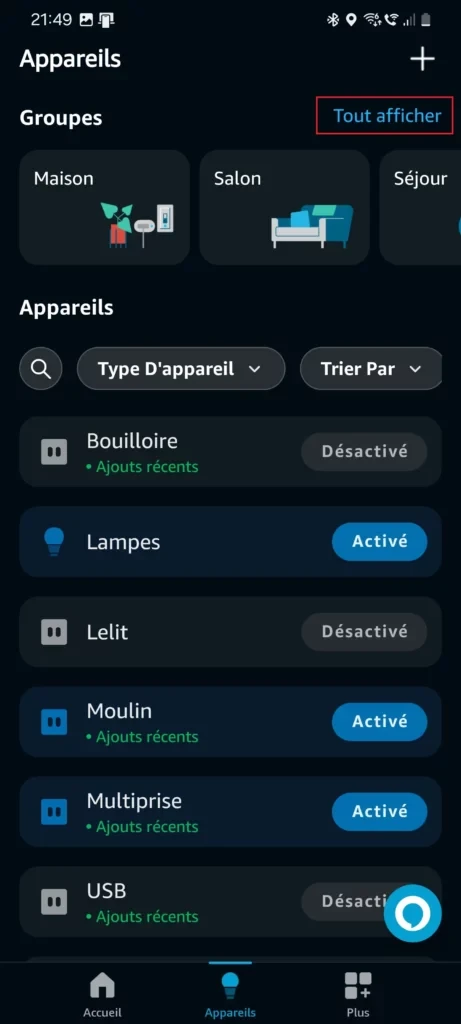
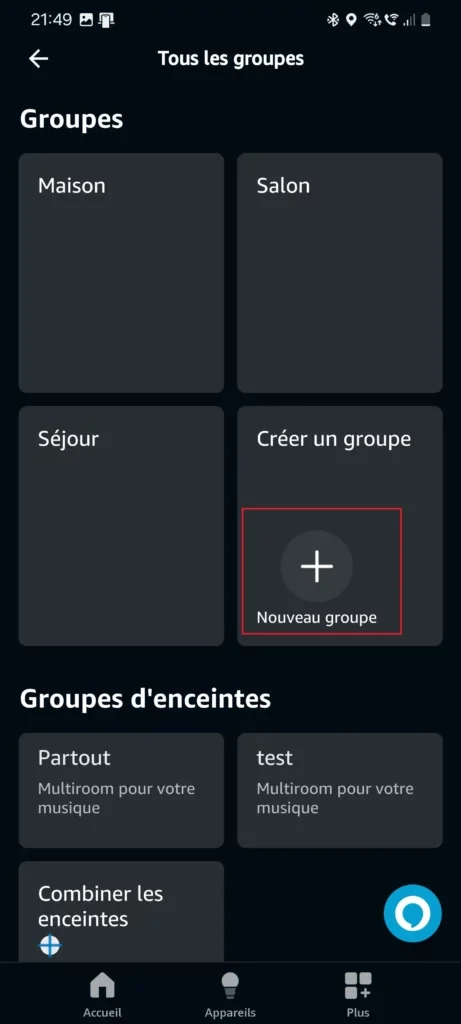
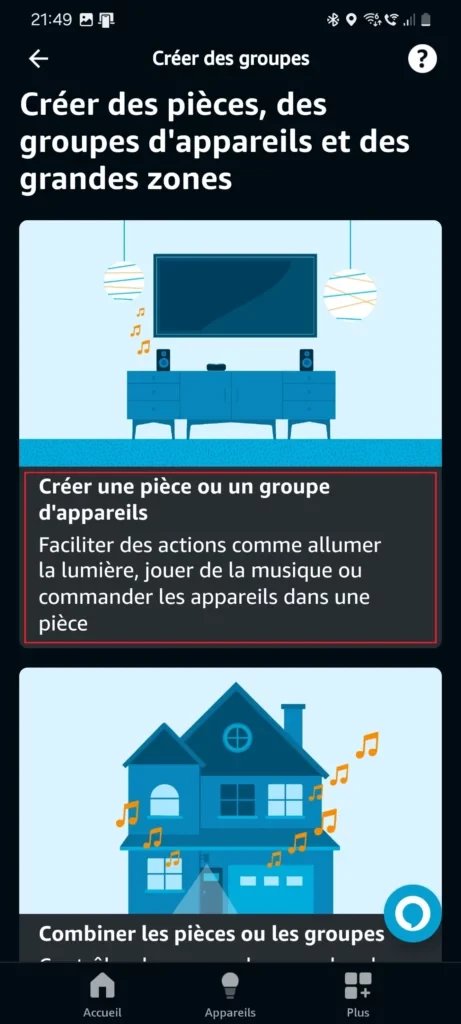
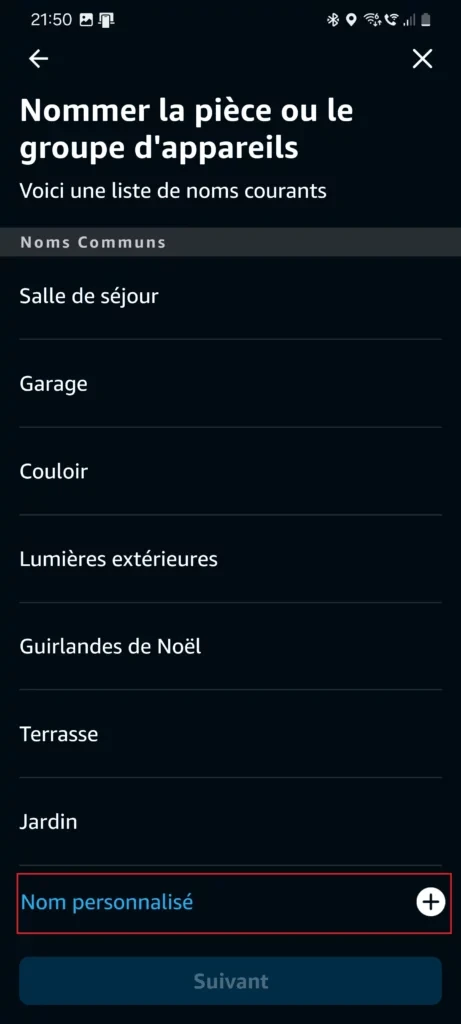
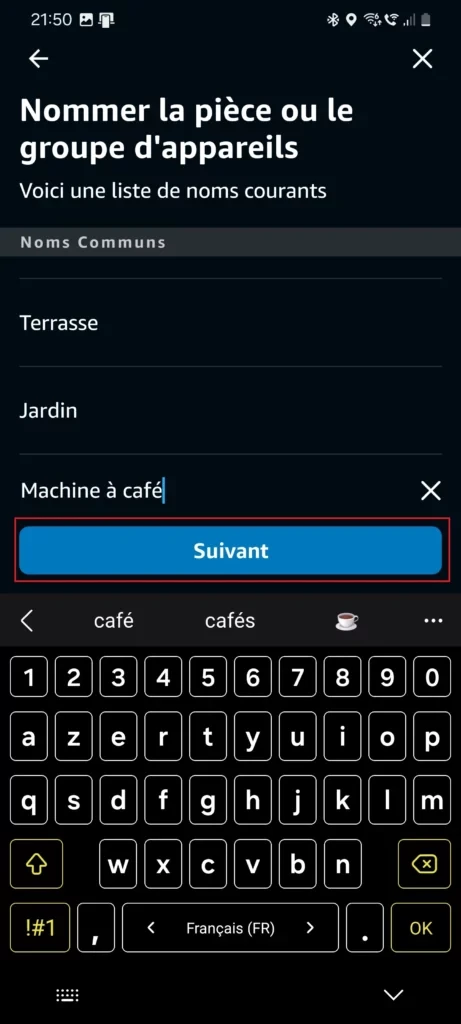
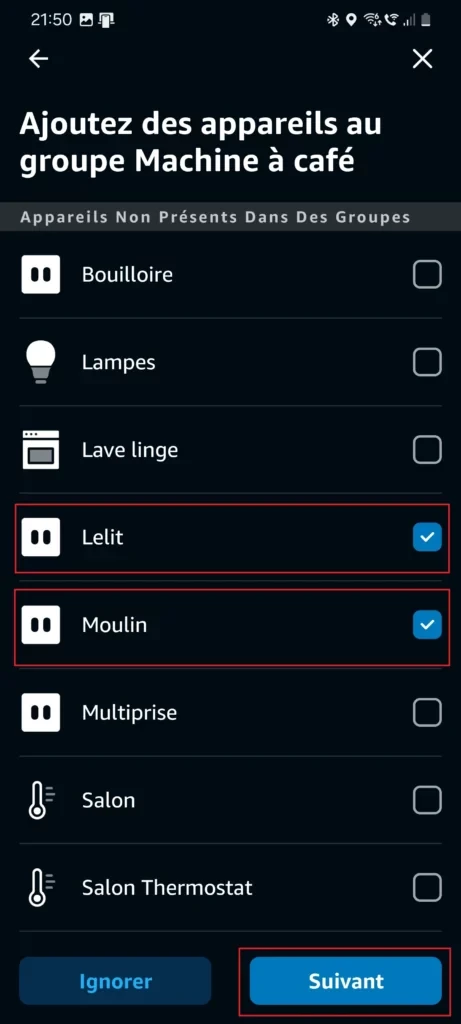
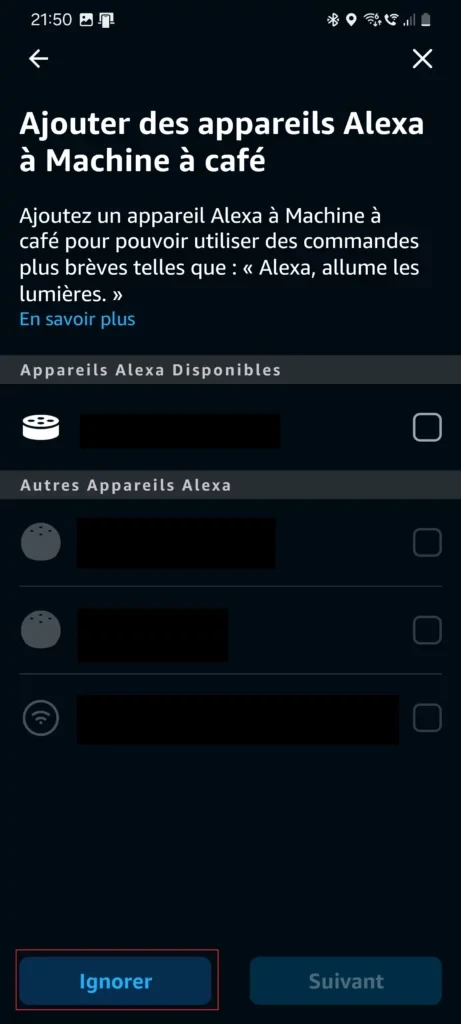
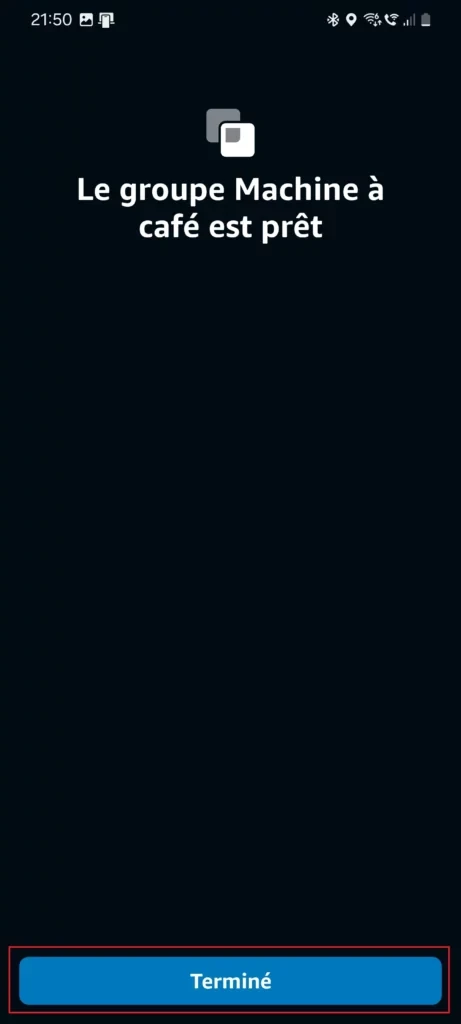
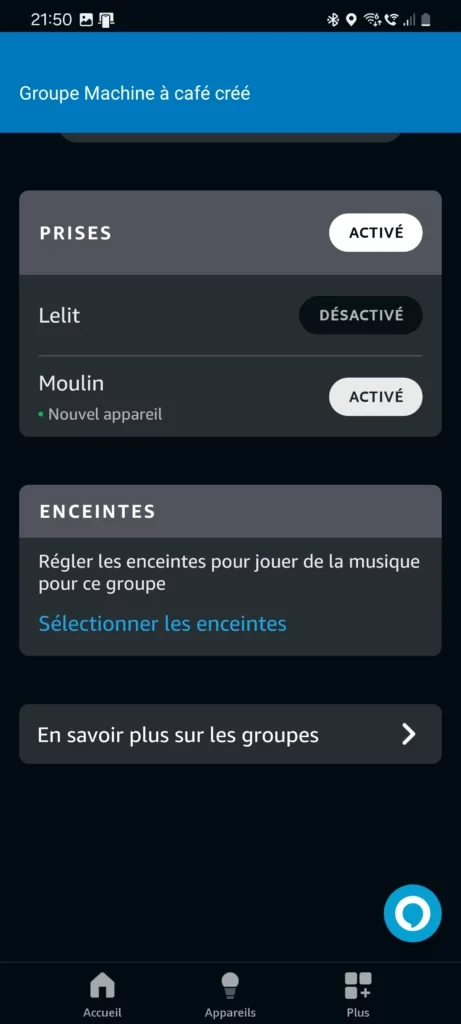
How to link a smart plug to Alexa
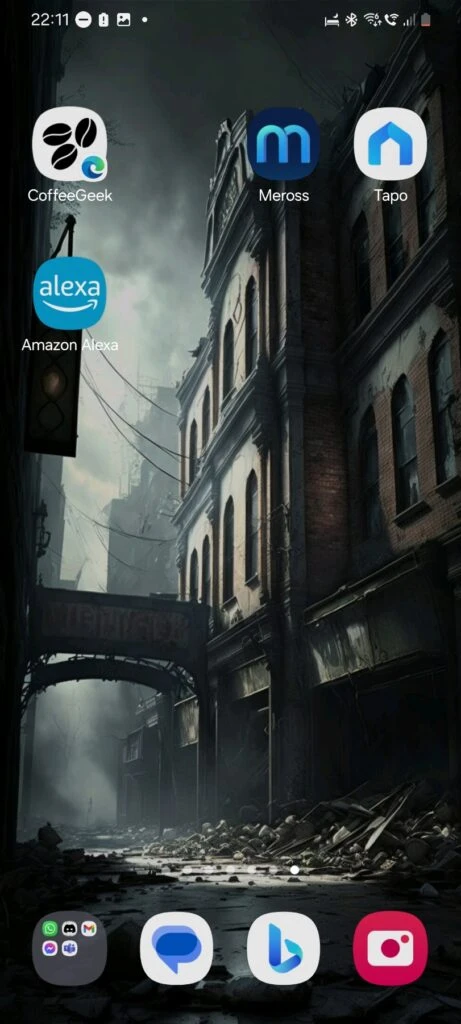
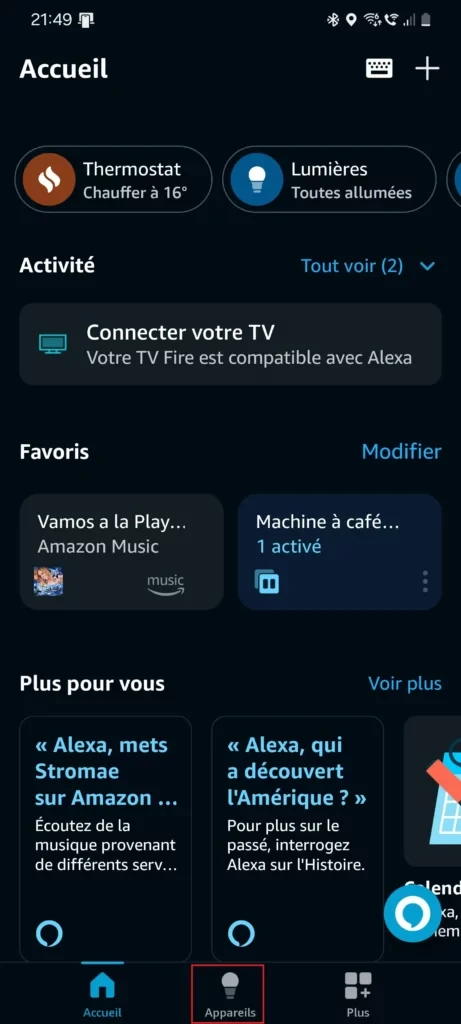
Linking a smart plug to Alexa couldn't be easier. Follow the steps below in the Alexa app (available on the Google Play Store and the App Store).
Alexa is what lets me control my devices by voice, switching them on or off. Without this integration, voice commands are impossible, and control of your connected devices is limited to the smartphone app.
First, you need to install the Skill for your plug. See the tutorials above.

Conclusion
You now have a connected coffee machine. If you have any questions or need more details, feel free to leave a comment.